
Configuring system settings
Set job types, currency, VAT rates, labour rate and more — the configuration behind the app.
Who this is for: Admins setting up how the workspace behaves.
Where settings live
Open your account menu → Organization settings. The configuration areas are listed directly in the left nav:
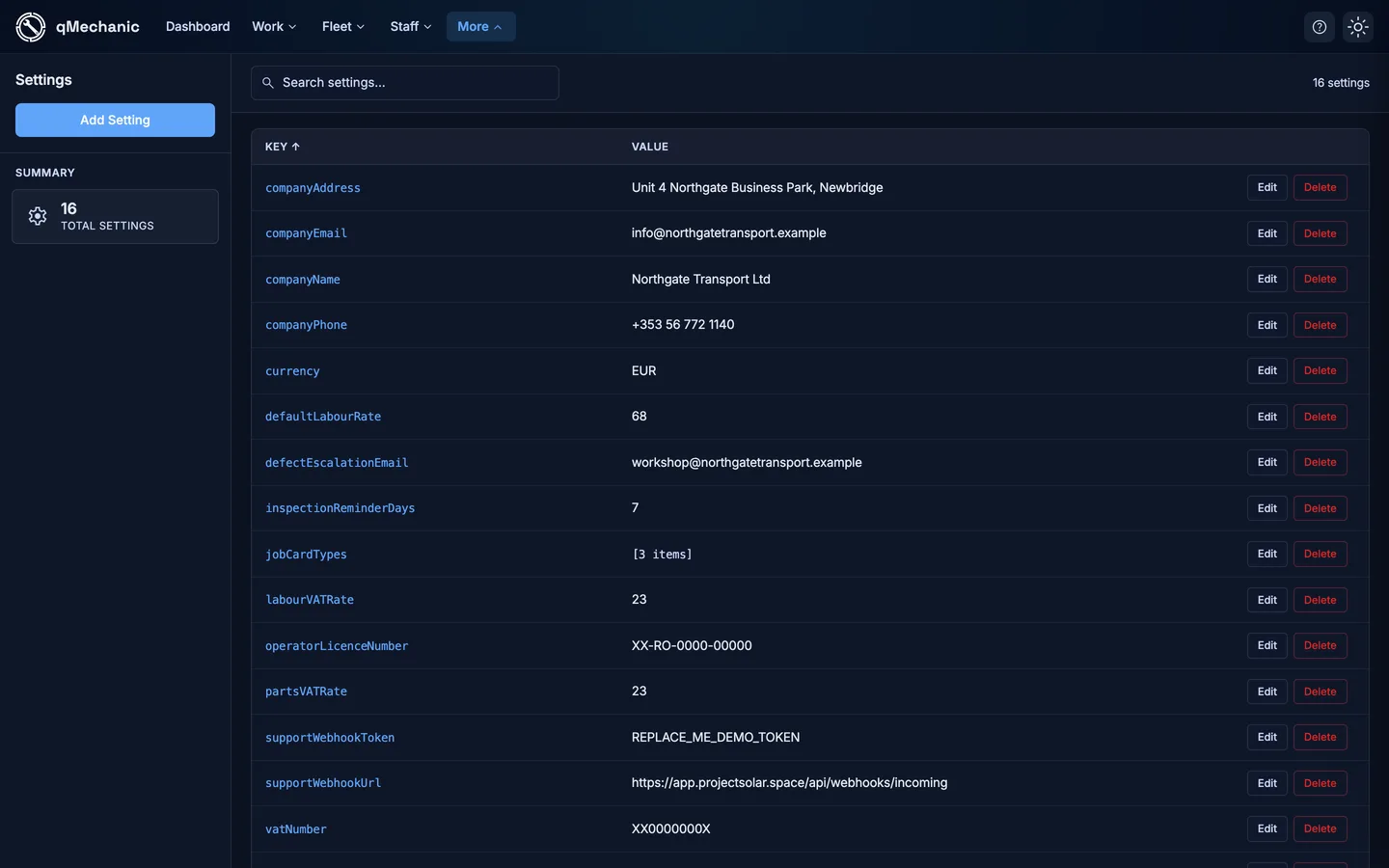
- System settings — the typed workspace settings (below).
- Machine types — vehicle/asset categories.
- Defects — the defect catalogue.
- Job permissions — who can create jobs.
- Plus Billing & plan, Notifications, Holidays, and Company & logo.
System settings
Each setting has a sensible default, so the app works even before you change anything. Edit a value and select Save on its row.
- Job types — the list of selectable job-card types (comma-separated).
- Currency — the currency code, e.g. GBP.
- Default labour rate — the per-hour rate used when none is set.
- Labour VAT rate / Parts VAT rate — the VAT percentages.
- Company name — shown around the app.
- Default event reminder (days) — how far ahead compliance reminders start.
TipNew workspaces get all of these automatically — you only need to change the ones that differ for your business.